What Does It Cost?
Click the tabs below to see different packages
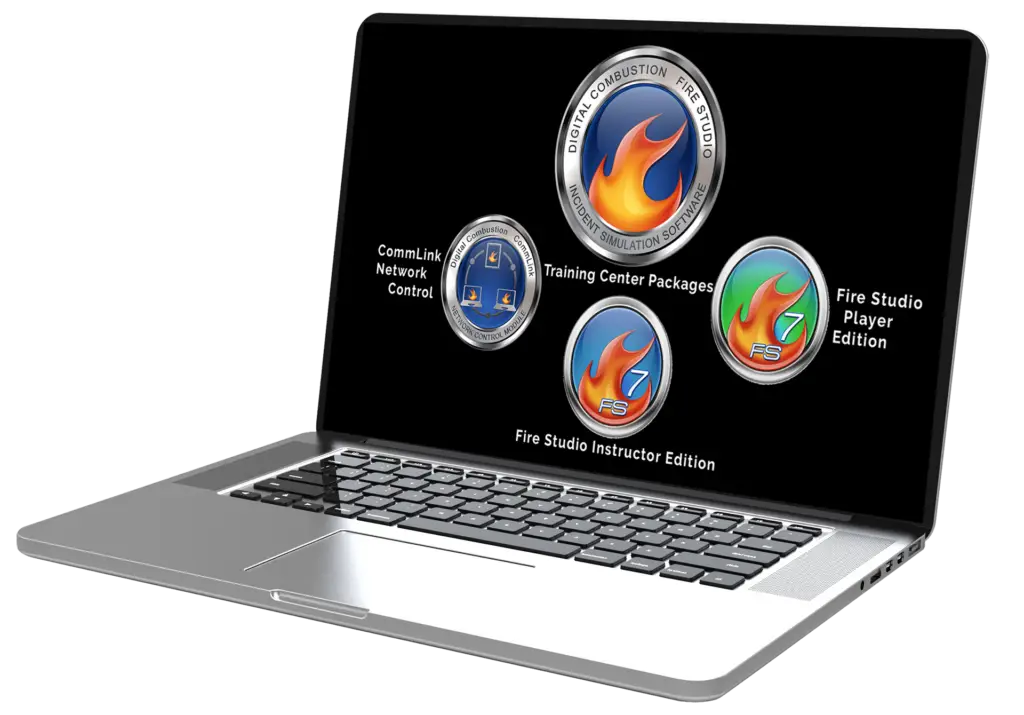
Fire Studio 7 Instructor Edition
This is our flagship edition. It includes everything you need to create and playback your simulations on a single computer. You can install this edition on a desktop or laptop computer. We except Purchase Orders, Credit Cards and invoice Net 30.
Coming Soon!
Stay tuned for updates on subscription-based pricing. Keep an eye on this space or feel free to reach out to us via email if you’re interested.
Looking to Upgrade to the latest version?
Upgrade from Fire Studio 5.x for only $875
Upgrade from Fire Studio 6 for only $675
Fire Studio 7 Instructor Edition
Windows/Mac-
Everything you need to create and playback your simulations.
-
Add your own pictures to create simulations from your location.
-
Perfect as a stand-alone system for smaller departments.
Fire Studio 7 Player Edition
This is our player-only edition. It will playback any simulation that was made on the Instructor Edition of Fire Studio 7. You can install this edition on a desktop or laptop computer. We also have an iPad Edition of the Player Edition. We except Purchase Orders, Credit Cards and invoice Net 30.
Coming Soon!
Stay tuned for updates on subscription-based pricing. Keep an eye on this space or feel free to reach out to us via email if you’re interested.
Looking to Upgrade to the latest version?
Upgrade from Fire Studio 5.x for only $295
Upgrade from Fire Studio 6 for only $250
Fire Studio 7 Player Edition
Windows/Mac/iPadPer Each Device
-
Used to playback any simulation made on the Instructor Edition.
-
Get your simulations to more screens at a lower cost.
-
Used to build a multi-screen setup or Command Training Center.
CommLink 7 Network Control
This is our optional network control module. CommLink allows you to connect multiple copies of Fire Studio 7 (Instructor or Player Editions) over a Local Area Network. This is used to control multi-screen simulations from a single computer. We except Purchase Orders, Credit Cards and invoice Net 30. For a no-obligation Quote, CLICK HERE
Coming Soon!
Stay tuned for updates on subscription-based pricing. Keep an eye on this space or feel free to reach out to us via email if you’re interested.
Looking to Upgrade to the latest version?
Upgrade from CommLink 4 through 5 for only $975.
Upgrade from CommLink 6 for only $775.
CommLink Network Control
Windows/MacRemote Control Fire Studio!
-
Control Multiple Screens Of Fire Studio 7.
-
Used In Command Training Centers Or Multiple Fire Station Setups.
-
Control 1-50 (Or More) Computers, Laptops Or IPads.
If you want to set up Fire Studio 7 with multiple screens, we’ve made it easy. The examples below show different package setups and pricing. You can customize any package to fit your needs. These are shown to give you examples of total costs for complete packages above a single license purchase.
Tier 2
Entry Level-
1 Instructor Edition
-
4 Player Editions
-
Free Tech Support
-
45 Minute On-Boarding Session
Tier 3
Mid-Size-
2 Instructor Editions
-
10 Player Editions
-
Free Tech Support
-
45 Minute On-Boarding Session
Tier 4
Large System-
4 Instructor Editions
-
20 Player Editions
-
CommLink 7
-
Free Tech Support
-
2 Hour Online 1-on-1 Training
Information on Fire Studio Licensing
Fire Studio is licensed on a per computer basis. Each computer running Fire Studio will need a license. You can purchase any number of licenses. As your needs change, you may add additional licenses. The first time you run Fire Studio, you will need to activate the software online. This will only need to be done once. Licenses are managed through your Customer Portal.
In response to many customer requests, we’re thrilled to announce that we’ll soon be introducing a subscription-based purchasing option. Recognizing the need for predictable pricing to facilitate smoother annual budgeting, we’re expanding our offerings for our diverse customer base. While our lifetime license option will remain available, we’re excited to provide added flexibility with a subscription option, ensuring we meet the needs of all our valued customers.
What's Included?
Digital Download
- Immediate Download: As soon as the purchase is made, the software is available to download.
- Licenses: Purchase as many licenses as you need. One license per computer is required..
- User Manual: A complete color PDF User Manual is included. Print as many copies as you need.
- Software Backup: Make as many backup copies of the software as you need.
Customer Portal
- Software Downloads: All of your available software can be downloaded through your Customer Portal.
- Re-download Anytime: If you need to download the software for any reason, it is in your Portal.
- Manage all of your licenses: All of your license numbers and passwords can be accessed through your portal.
- Stay Updated with the Latest Version: The latest version will always be found on your Customer Portal..
Free Tech Support
- Email Support: If you have questions, help is just one email away.
- Tutorial Videos: Access our Video Center to get detailed help on the most common help questions
- Help Center: Find extensive articles on almost any support topic you may have in our newly designed Help Center. Also,download FREE new content here.
- Phone Support: If you need someone to talk you through an issue, toll-free phone support is available.
Already Own a Previous Version of Fire Studio?
At Digital Combustion, we are constantly improving our fire simulator products. We offer upgrade pricing for ALL of our customers who have purchased Fire Studio in the past. This goes back all the way to version 1.0, over 15 years ago. Take advantage of our upgrade offers for Fire Studio 6 users starting at $675. (Version 1-5 users can upgrade for $875). You don’t even need the original CD. If you are in our system, you can upgrade.